Every app, and what it does.
For iPhone, iPad and Mac. None of them has a server behind it, and every one comes with a 14-day trial.
iPhone and iPad
Priv8Scout
Six network apps, replaced by one.
Is it the Wi-Fi or the internet? Scout tests each link in the chain and tells you where the slowdown is, then shows you what’s on your network and maps your rooms.
14-day trial with every tool, then a one-time unlock. No subscription, ever.
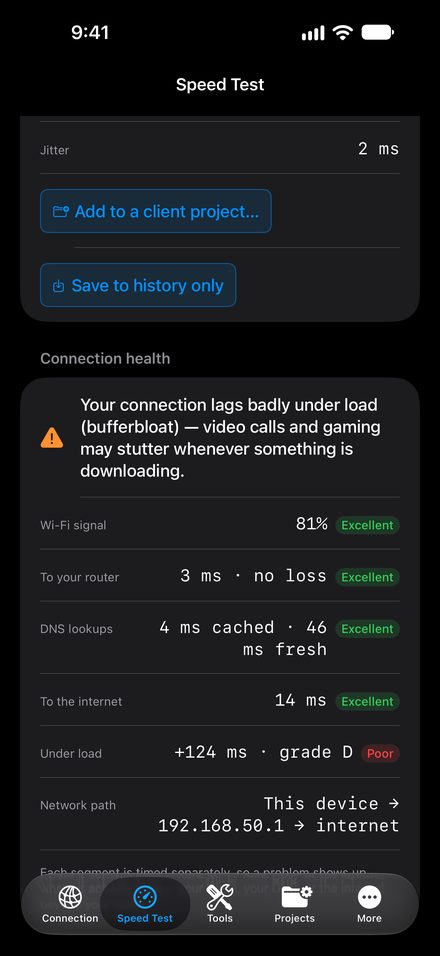
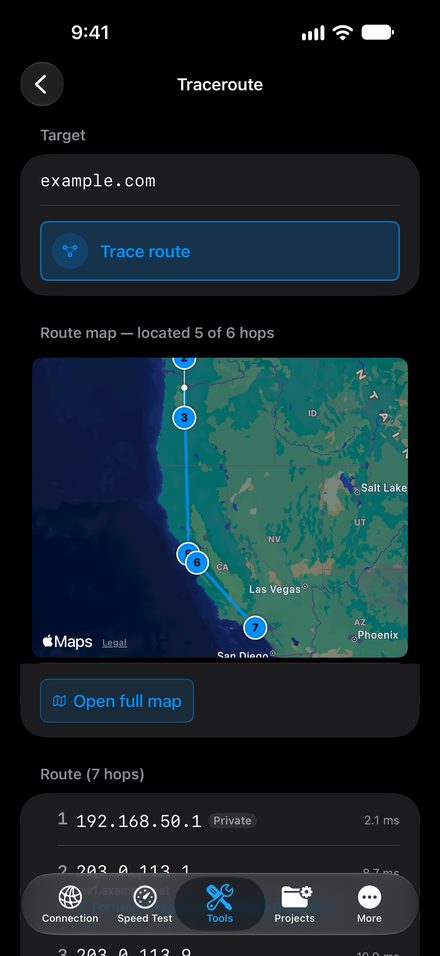
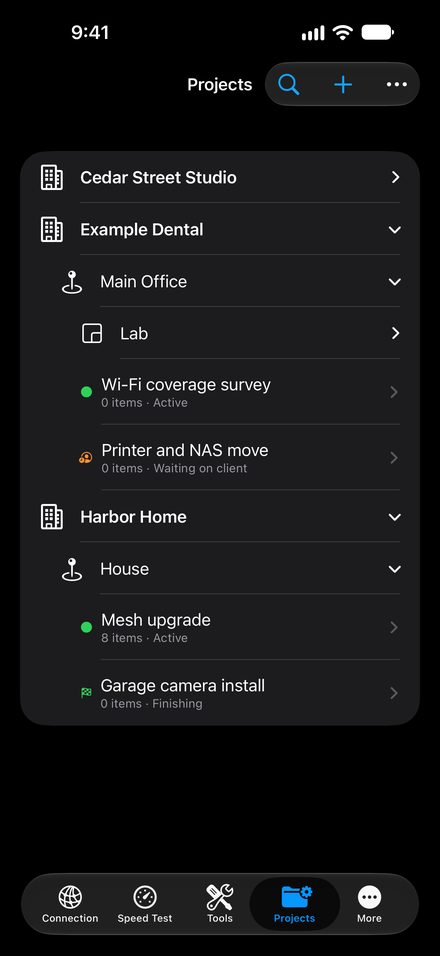
- A verdict for each linkWi-Fi, router, DNS and the internet path, tested separately, with bufferbloat and carrier-grade NAT explained in plain English.
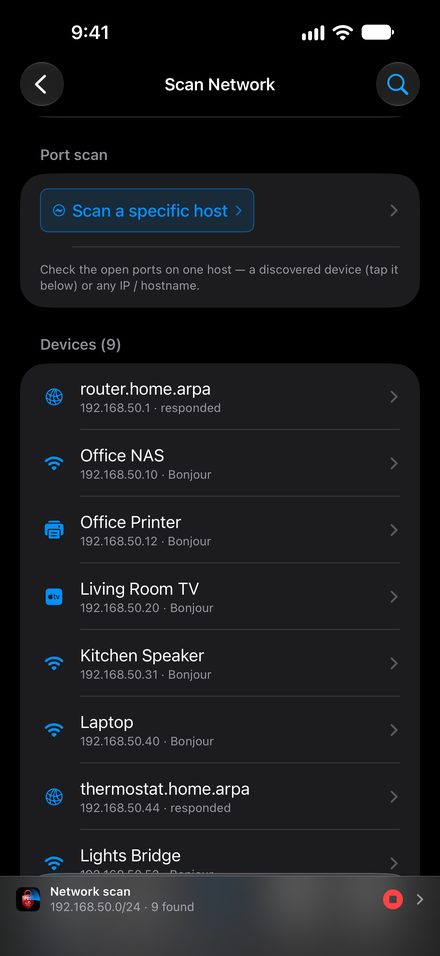
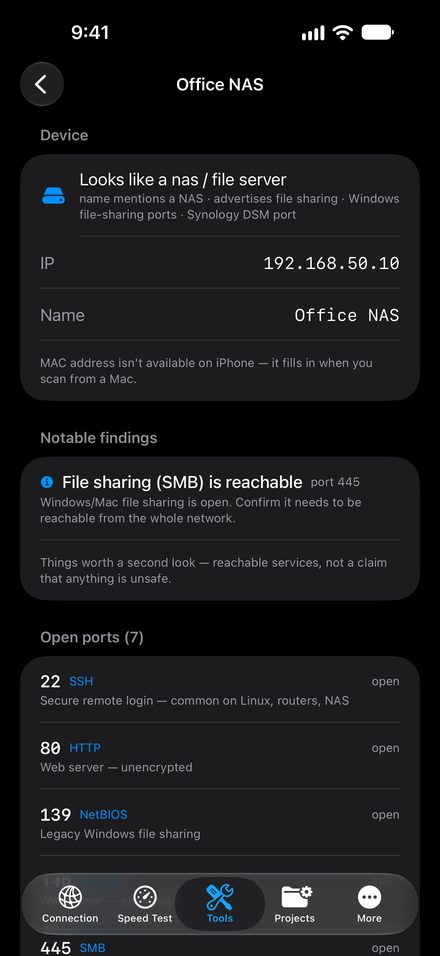
- See what’s on your networkBonjour, a TCP sweep and ping together find the devices that ignore one or the other, with an educated guess and its reasons.
- Map a roomBuild a floor plan from a photo, a PDF or a sketch, or scan the room with LiDAR on Pro iPhones.
- Honest about iOSiPhone measures signal quality. For true signal strength and nearby networks, Priv8Scout Workbench on the Mac takes over.
Video transcript
The internet is slow. But is it the Wi-Fi, or the internet? You stare at a buffering screen wondering whether to restart your router or just wait it out. Instead of one single speed score, Priv8Scout splits the test into four distinct parts and gives a specific verdict for each link in the chain. You see exactly how much the delay grows when the line is busy, so you fix the right thing.
On iPhone, Apple doesn’t allow apps to read true Wi-Fi signal strength. So the iPhone measures signal quality to scout rooms, while the Mac Workbench measures true signal strength. Walk the floor, paint a coverage heat map on your Mac, and seamlessly move projects between them. Everything syncs entirely through your own iCloud. We run no servers of our own.
It’s a one-time unlock on iPhone with no subscription, ever, and a 14-day trial. It carries the App Store’s Data Not Collected label. Zero accounts, zero ads, zero tracking. So you can stop rebooting everything and just fix the exact right link in your network. Priv8Scout.
Mac
Priv8Scout Workbench
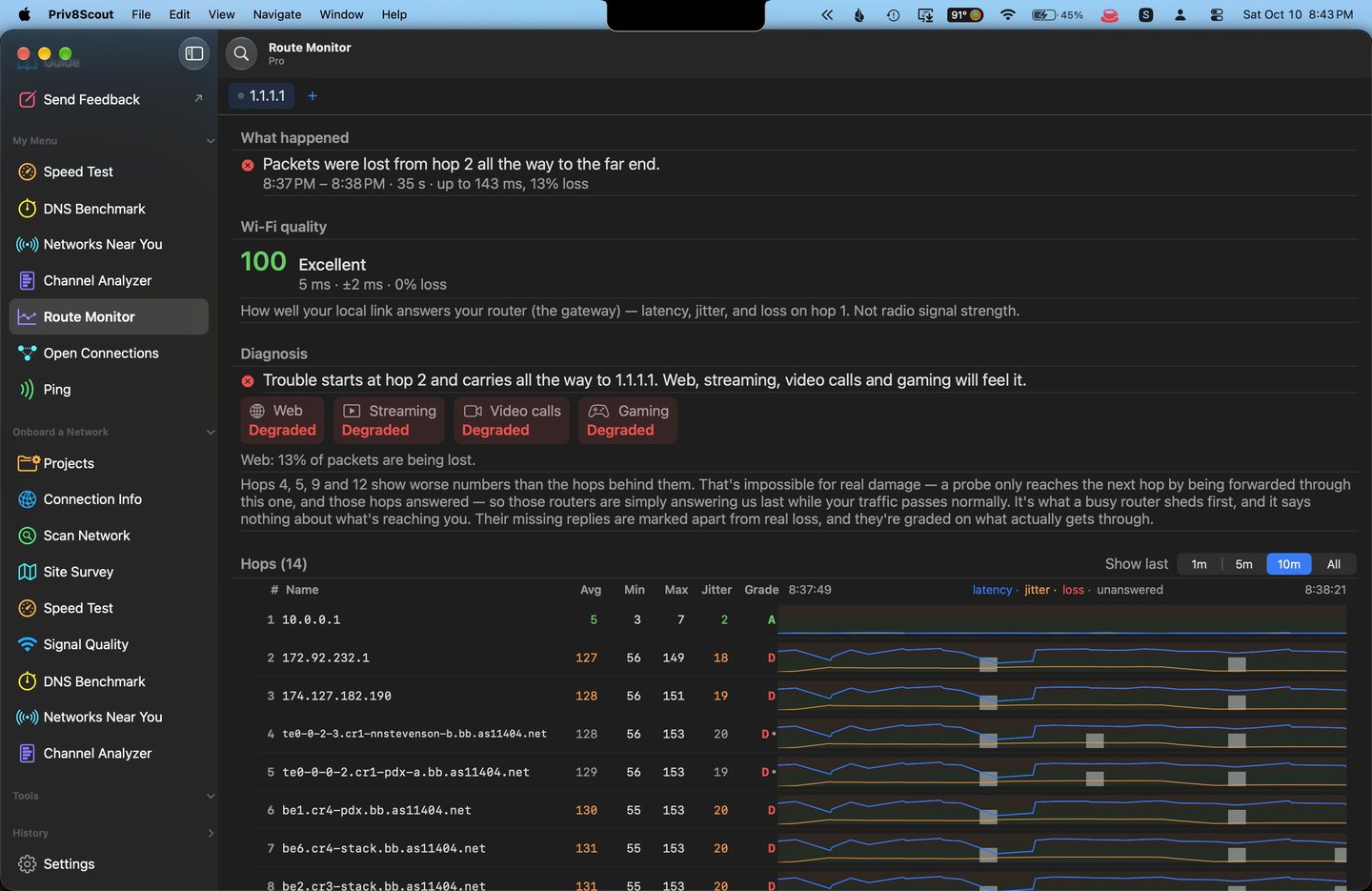
Eighteen tools, including the ones iOS cannot do honestly.
The Mac half of Scout, and the half that reads a real signal. From your living room to a client’s office.
14-day trial with every tool. Requires macOS 26 or later. Licenses range from your own home to every client you look after.
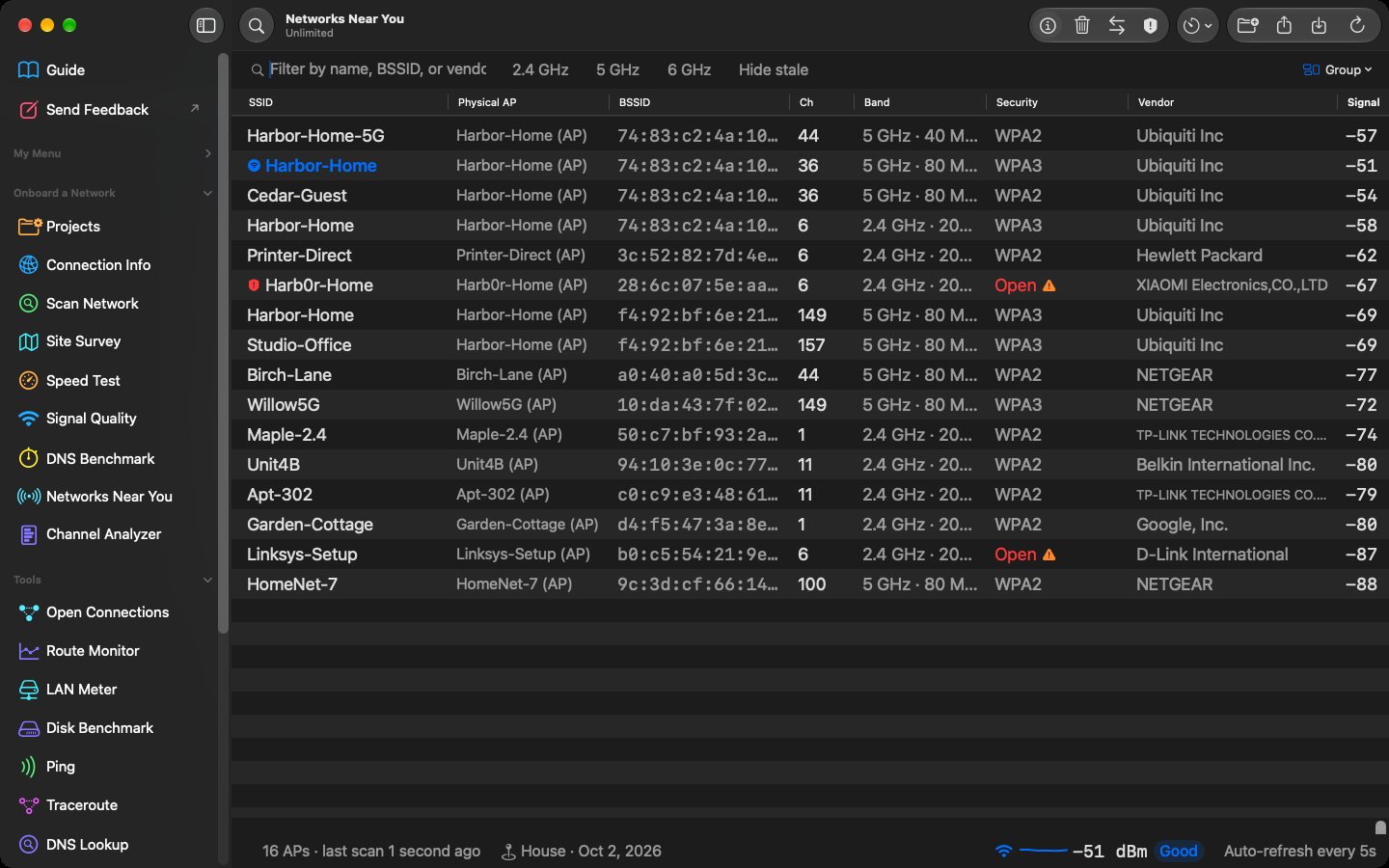
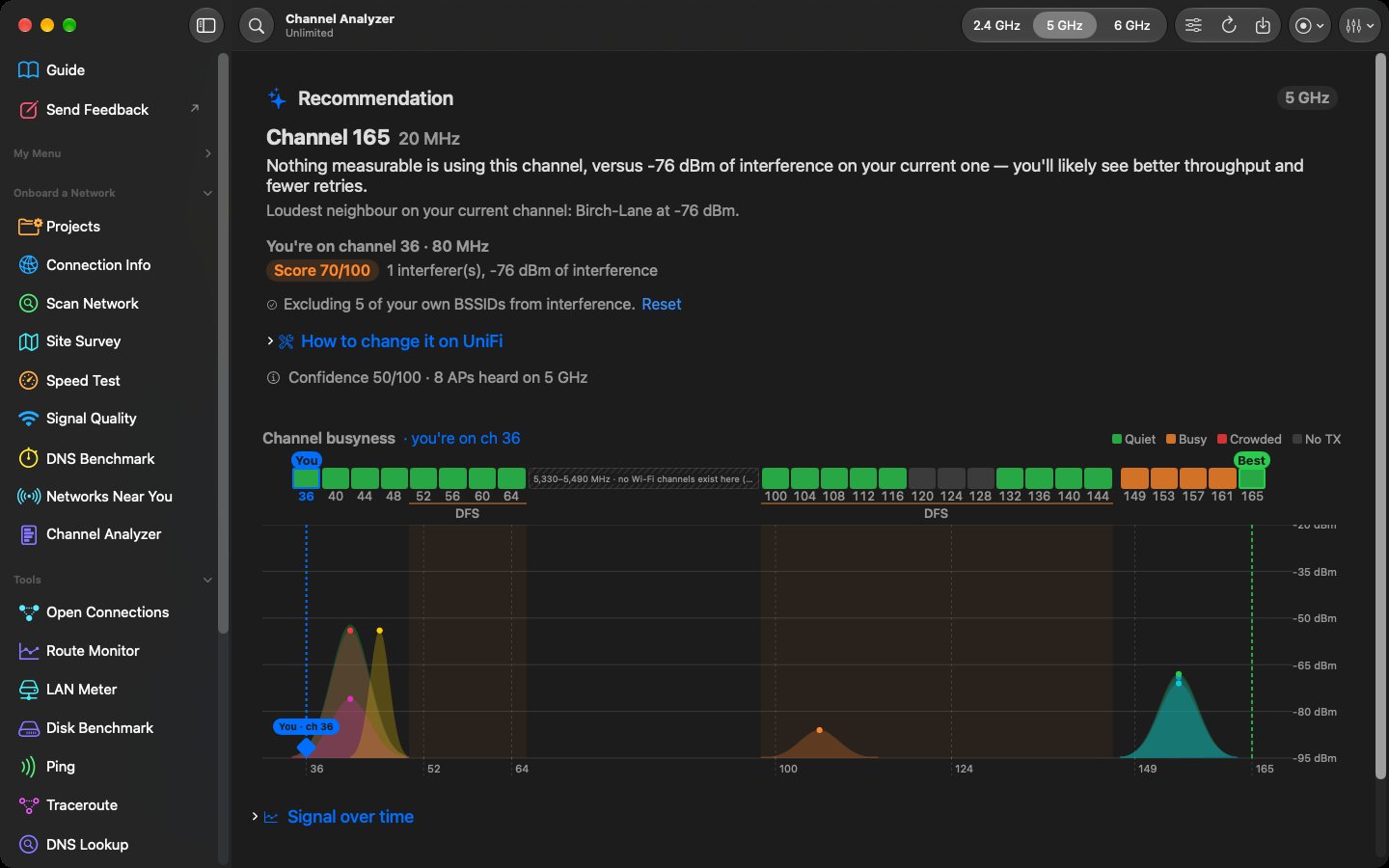
- Networks near you, in true dBmSignal, channel, band and security for every network in range, with a recommended channel.
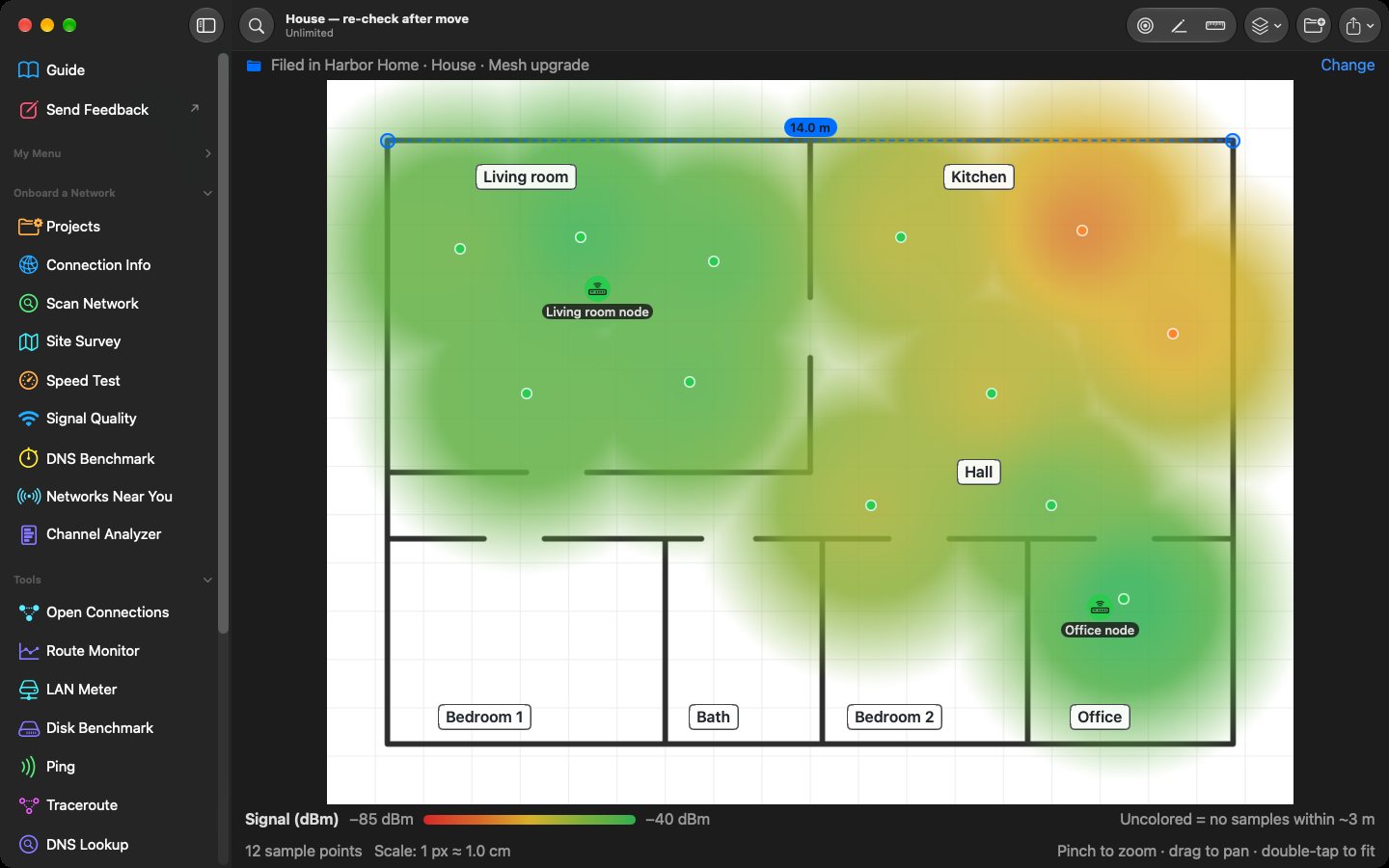
- Paint the heat mapWalk the floor and watch coverage fill in over your plan, so you can see the dead spots before you buy another access point.
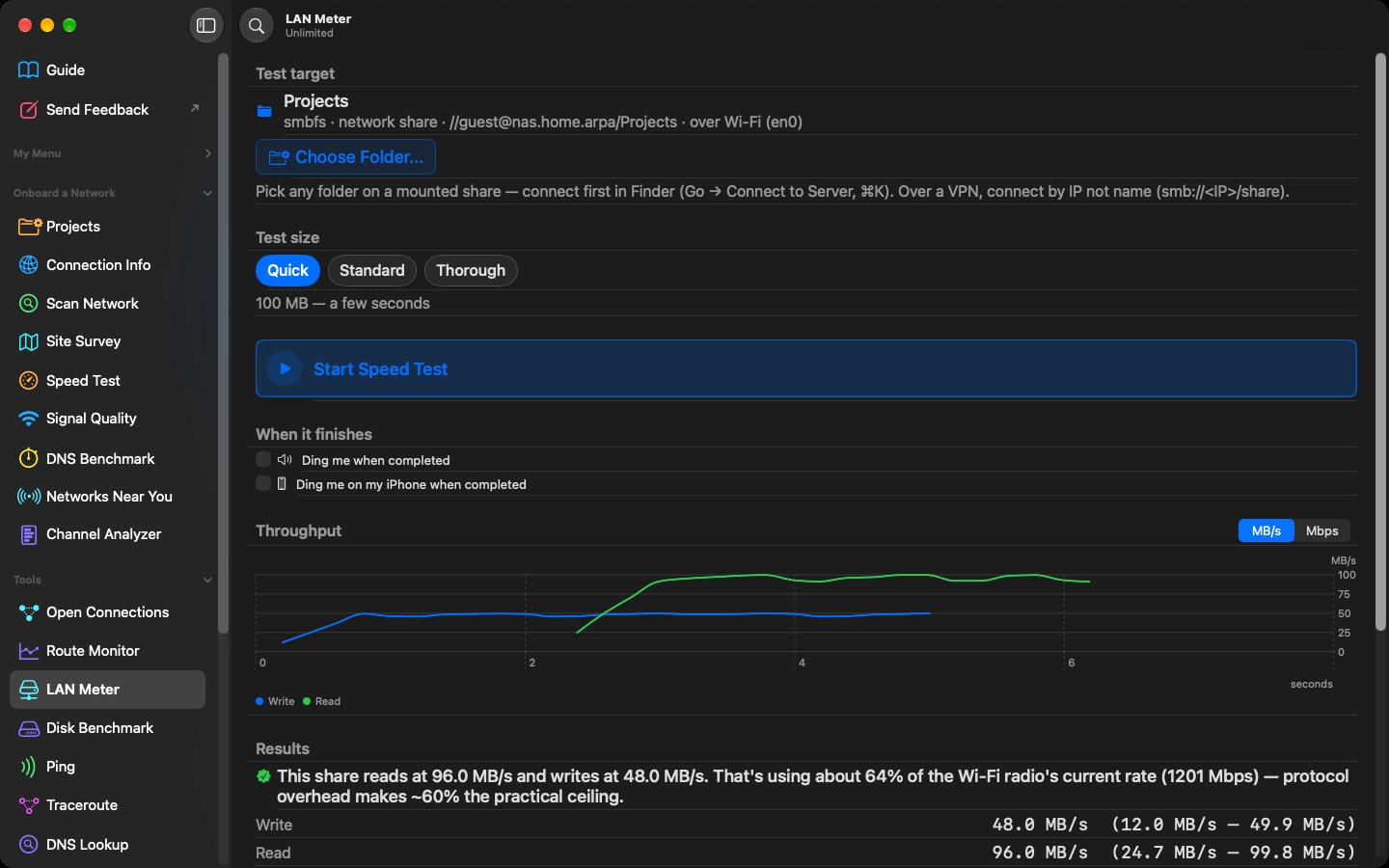
- Is it the network, or the NAS?LAN Meter tests real file speed to a network share. Disk Benchmark checks whether that new SSD delivers what you paid for.
- Reboot it. Walk away.Start a ping watch and get a notification when a device stops answering, and again when it’s back.
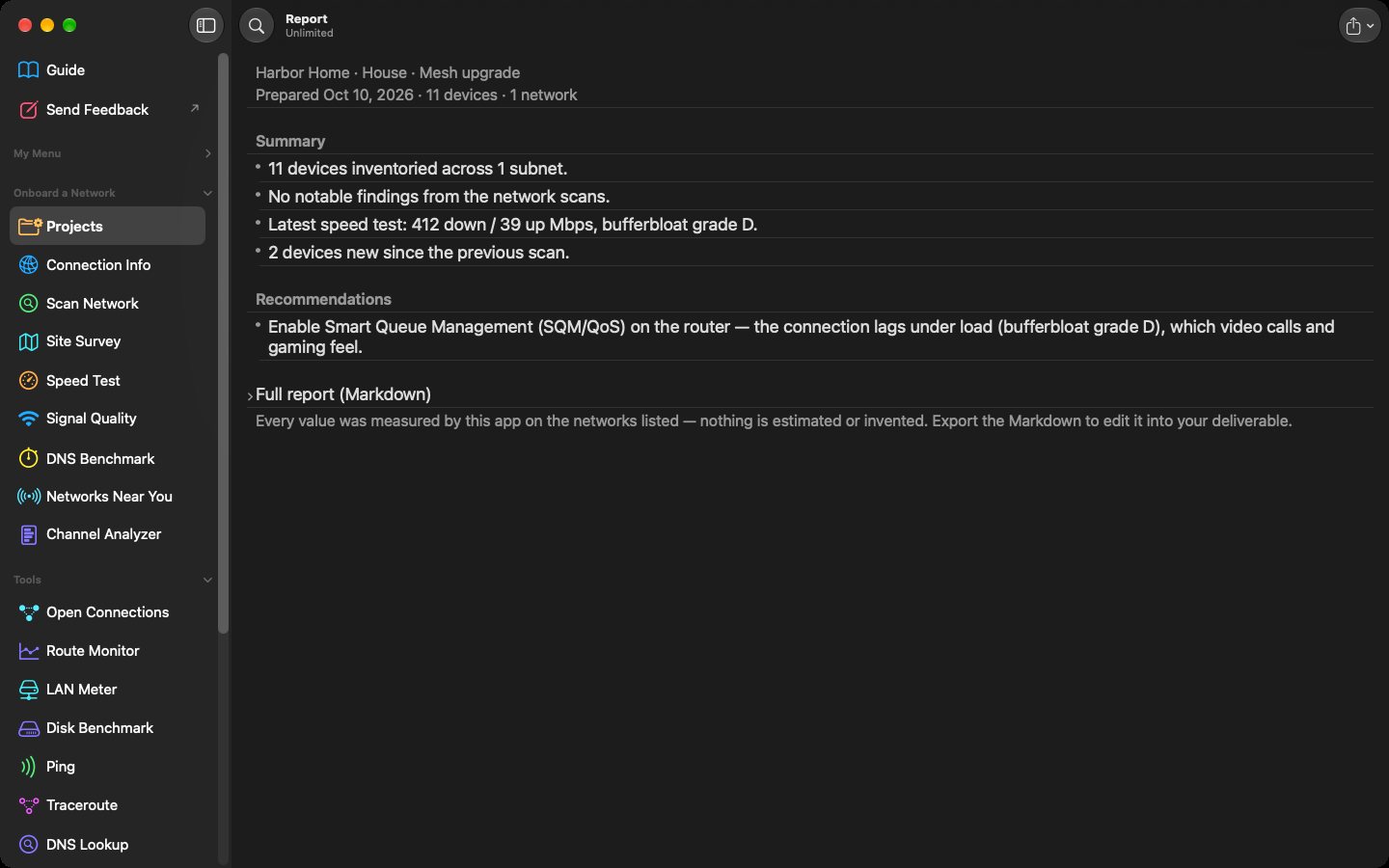
- Report drafts you finishWorkbench drafts a report from what it measured. Export it as Markdown and finish it your way.
iPhone, with the Apple Watch you already own
Priv8Vitals
Your watch already knows. Vitals tells you.
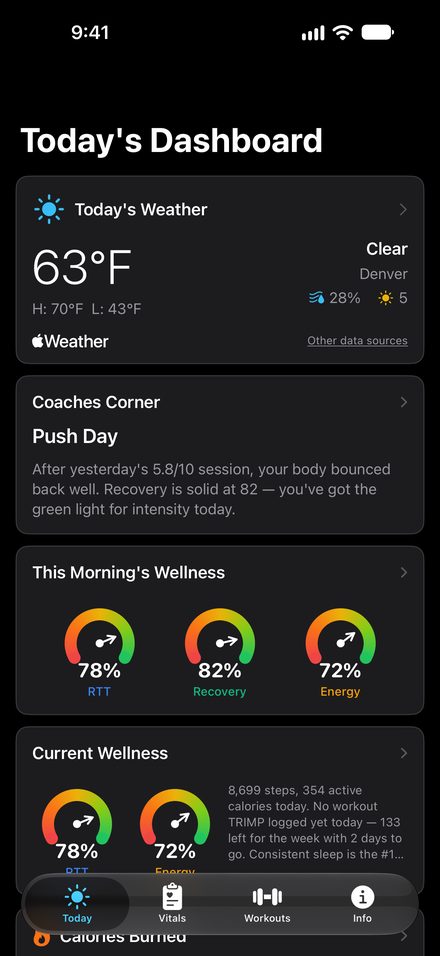
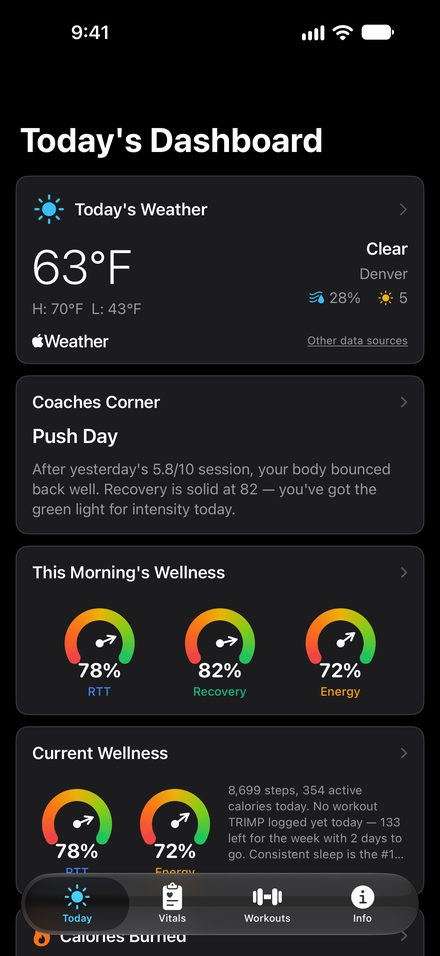
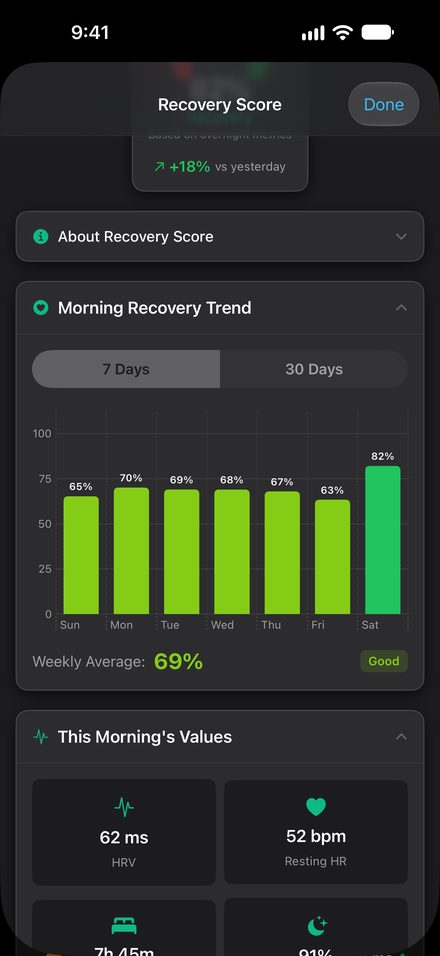
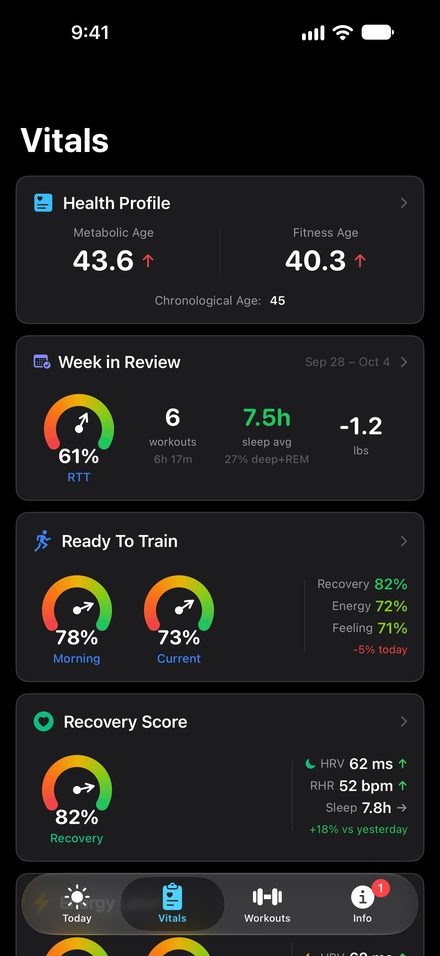
Apple Health already knows how you slept, moved and recovered. Vitals turns it into a morning readiness score and a plain-English plan for the day. As simple or as deep as you like.
14-day trial, then monthly, yearly or a one-time lifetime option. A wellness app, not a medical device.
- Ready to Train, every morningOne score from your recovery and energy, with Recovery and Energy alongside for the detail.
- Push, build or recoverCoaches Corner explains what yesterday did and what today should look like.
- How you feel countsA quick check-in can bring your score down when you’re sore or run down. It never pushes it up.
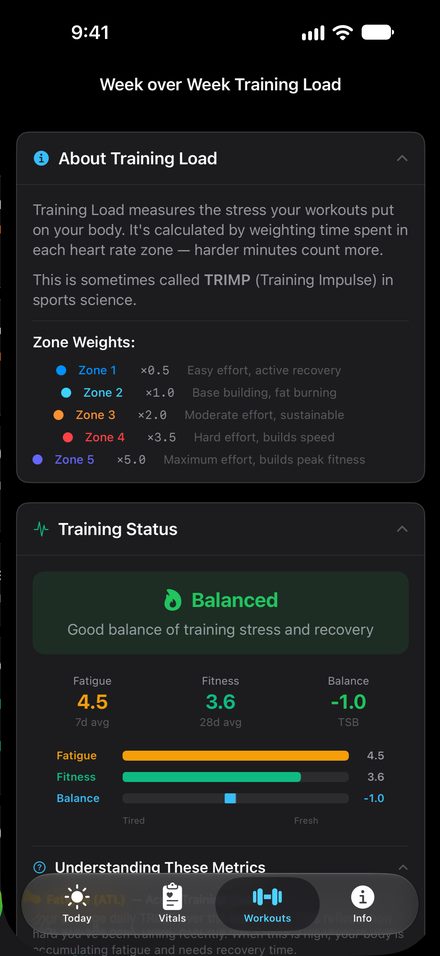
- Any workout countsTraining load comes from heart rate, and rest days count as part of the plan.
- Your data, your wayExport everything as CSV, any time, in every state of the app.
Video transcript
Your Apple Watch already knows how you slept. It collects heart rate variability and resting heart rate, but Apple Health only shows the numbers, not what they add up to. Priv8Vitals translates those metrics into a plain-English plan for the day: push, build or recover. Because progress isn’t just about pushing harder, rest days actively count, and a quick morning check-in can lower the score if you feel off.
It requires no new ecosystem. It works perfectly with the Apple Watch you already own. You can keep it simple with one score, or dig deep into your long-term trends. There is no account, no sign-up and no server. Your health data stays entirely on your iPhone and in your own iCloud, earning the App Store’s Data Not Collected label. Your watch already knows. Vitals tells you.
iPhone and iPad
Priv8RSS Reader
Read the news without the news reading you.
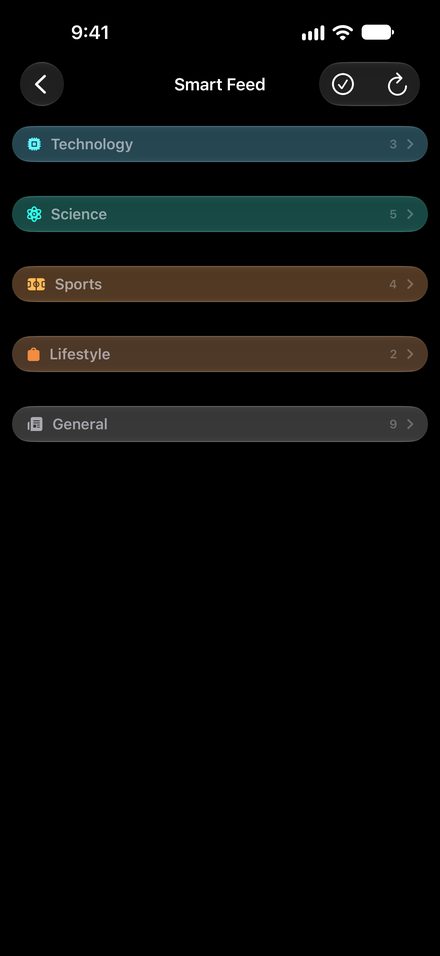
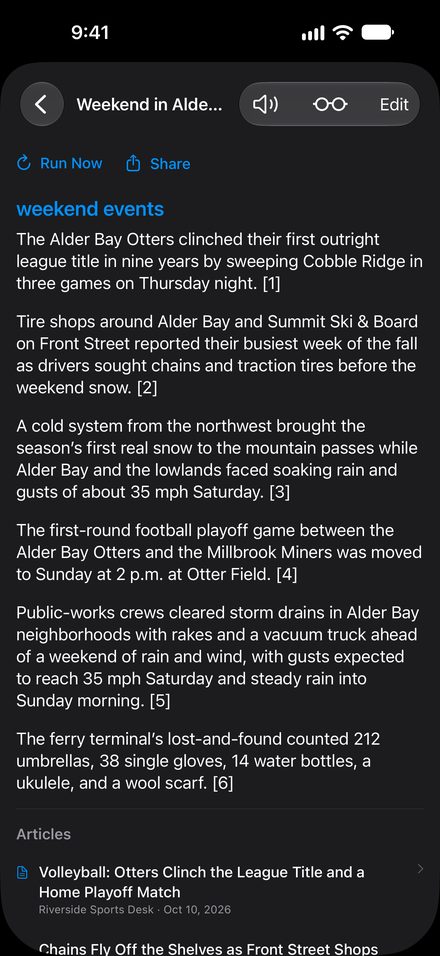
Articles render natively, with no web view, so publisher scripts and trackers never run. Summaries, merged stories and answers are written on your device.
14-day trial, then a one-time purchase or a yearly plan. AI features need an Apple Intelligence device: iPhone 15 Pro or later. Everything else works on any iOS 26 device.
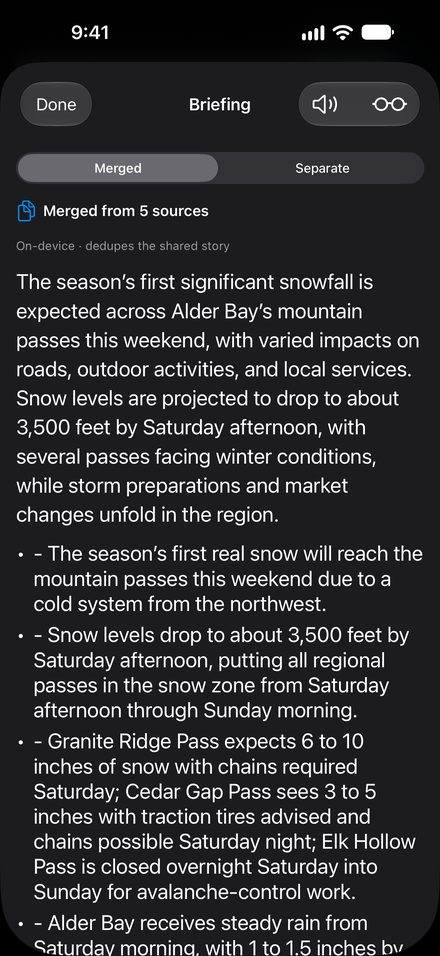
- Five articles. One story.Merge coverage of the same news into a single read instead of opening each one.
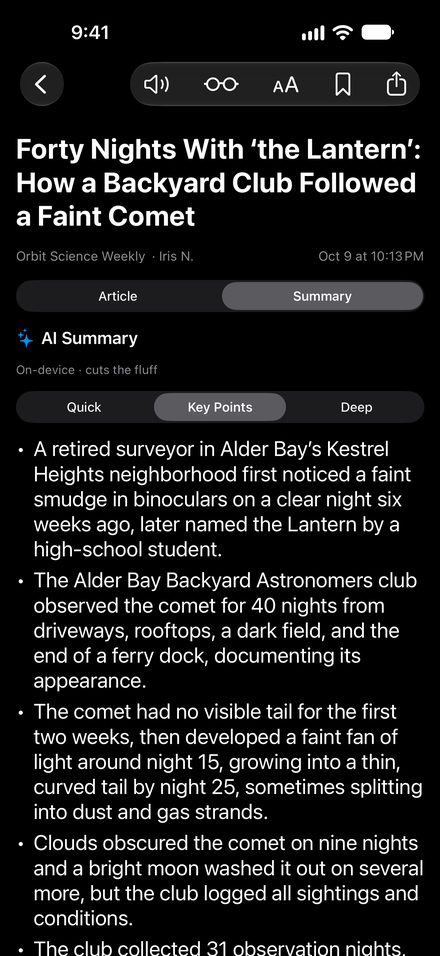
- Summaries your wayQuick, key points or a deep dive, so you can decide whether the full article is worth your time.
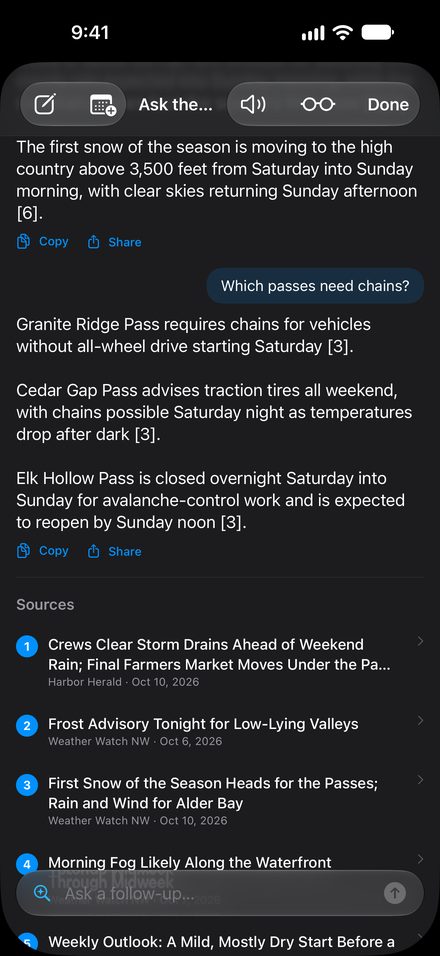
- Ask the ReporterAsk anything about your news, with follow-ups, and get answers that cite the articles.
- Stay on top of a topicDaily Briefing and Watch Dog follow the subjects you care about and let you know.
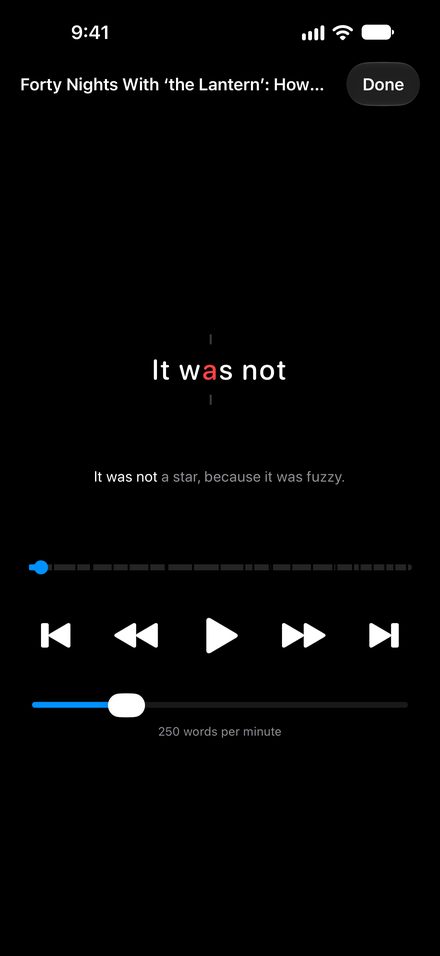
- Your news, read to youRead-aloud and Focus mode, built to be easier to read for anyone who finds a block of text hard going.
Video transcript
Most news pages are full of trackers you never see. Private RSS Reader strips away the web view entirely and renders articles natively, so those hidden external scripts cannot run.
First up, the built-in reading tools. They are designed to process your daily feed privately, entirely on your phone. It automatically summarizes long text and merges up to five related articles into one unified story. You can even Ask the Reporter follow-up questions to dig deeper. These AI features need an Apple Intelligence device.
Next, alternative ways to consume your daily feed. The Read Aloud tool lets you listen hands-free while you make breakfast or drive. And keyword filters allow you to block negative topics out entirely, so you skip the doom and keep only the news.
Finally, a transparent business model that actually respects your data. There are absolutely no accounts required to sign up. Just a 14-day trial and a one-time unlock. Read the news without the news reading you.